Tesla 12V battery failure symptoms almost always arrive before the car goes dark. You’ll see a service alert, slow handles, a laggy phone key, or a frunk that won’t pop. Catch those on a hot 91 shoulder in Corona. A warehouse row after a long shift is the same trap. You still have a window if the car wakes. Miss them, and a full pack won’t wake the car.
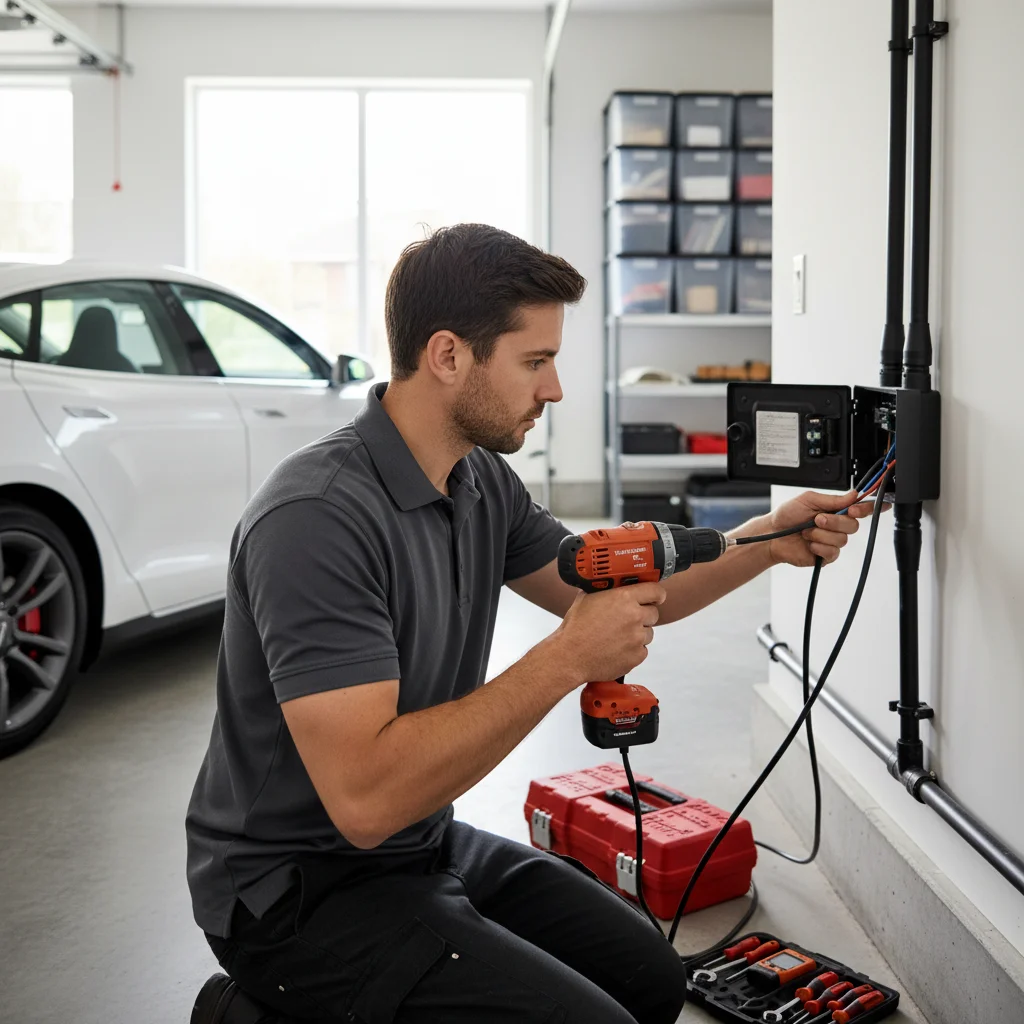
The 12V is what lets a Tesla wake up
The traction pack gets the attention. A smaller 12V battery still runs the car’s low-voltage world. That’s the computer, door handles, touchscreen, lights, and the contactors that connect the pack. Every current Tesla has one. Model 3, Y, S, X, and Cybertruck all depend on it.
Think of the split this way. The big battery moves you. The 12V lets the car turn on. If the 12V is dead, those contactors stay open. Range left on yesterday’s screen won’t help. You’re locked out of a car that still has miles.
That lockout is why the failure feels sudden. It usually wasn’t. The car sent clues first. People file them under glitchy software and keep commuting. For where that battery sits by model, read Do Teslas have a 12V battery?.
The 12V charges from the main pack through a DC-DC converter. That happens while the car is awake or plugged in. The design holds up for years. It still wears out. Lead-acid units fade. Lithium units can drop with less theater. Long sits in inland heat hide that fade until you need the car.
Where those clues show up around the Inland Empire
This market isn’t one climate. A Tesla in a Fontana warehouse lot can sit in sun all day. Ontario airport rows and logistics parks do the same. The 91 through Corona is a bad place to learn the car won’t wake. After the Cajon climb toward Victorville, you’re in High Desert air, not valley air.
This isn’t about public charging. It’s about standing next to a car that won’t boot. You can’t walk a sealed Tesla to a Supercharger. You can’t use the app if the low-voltage system is already down.
Big Bear Lake and Big Bear City run on Bear Valley Electric Service. Lake Arrowhead and Crestline sit on SCE mountain circuits. Cooler mountain air doesn’t repair a tired 12V. It only changes how long you’re comfortable waiting.
Valley homes on Southern California Edison don’t change the 12V story either. Riverside Public Utilities serves the city of Riverside. The City of Colton Electric Utility serves inside Colton. A 12V fault isn’t a utility outage. People still blame the panel first. Check the car’s own alerts before you call an electrician.
Sentry Mode on a warehouse camera line keeps the car awake. Cabin overheat protection does the same in valley heat. Both are useful. Both add low-voltage work while you’re inside on a shift. If the 12V is already weak, that extra wake time shortens your warning window.
Screen and app clues to take seriously
Tesla watches 12V voltage in the background. When it sags, the display can show a yellow or red “12V battery needs service” alert. Yellow means the unit is off a healthy range. Red means stop treating it as optional. A Tesla low voltage warning belongs in the same bucket. Don’t swipe it away and keep stacking trips.
Phone key lag is easier to ignore. Unlock used to be instant. Now you stand there for a few seconds. The handle doesn’t move. Your phone talks to the car over Bluetooth. Those modules run on 12V. Weak voltage makes that handshake slow.
The touchscreen tells on the 12V too. It reboots with no update pending. It goes black, then returns. It takes too long after you sit down. Infotainment isn’t a separate magic box. It wants a steady 12V feed. Random restarts are a battery story more often than a software mood.
App commands fail in the same window. Frunk open does nothing. The trunk request hangs. Cabin preconditioning never starts. Those actuators need 12V. The phone is only the remote.
Hardware clues at the handle, frunk, and port
Model S and Model X handles are powered. They should present when you walk up. A lazy handle on a car you know well is an early physical sign. Model 3 and Model Y interior releases can feel dull for the same reason.
The frunk fools people. The actuator is a 12V device. The on-screen button does nothing. The app does nothing. The lid lifts an inch and dies. That often isn’t a stuck latch. It’s a small battery that can’t finish the job.
The charge port ring is another low-voltage circuit. Flicker or odd pulsing can be the 12V, not the station. No light when you plug in belongs on that list too. Sort the 12V question before you blame a Supercharger or a wall connector.
Wake time is the groggy one. A healthy Tesla answers the brake or the door right away. A fading 12V can take several seconds. The cabin feels asleep. Then it catches up. That pause is a clue, not a personality.
Parked drain can climb too. Teslas always use some energy while they sit. If range falls faster than your usual overnight drop, pay attention. You didn’t add Sentry or preconditioning. A weak 12V may force the DC-DC converter to work more. That pulls from the main pack to keep the small battery alive. Treat it as a pattern. Pair it with the other signs.
Unrelated errors that arrive together
Low 12V doesn’t fail one module in a neat line. It starves several at once. You might see a parking brake warning and a stability message together. An HVAC fault can join them in the same minute. They don’t share an obvious story. The cluster is the story.
Don’t start replacing three systems. Suspect the 12V first. If the car still wakes, you still have time. If it doesn’t, you’re already in a roadside situation.
These clues are not a low traction-pack percent. A low number on the display is a range problem. A charge cable that won’t release is a port problem. A scheduled home charge that never started can be Wi-Fi, a breaker, or the station. 12V failure looks like the car’s brain going dim. Keep those lanes separate so you call the right help.
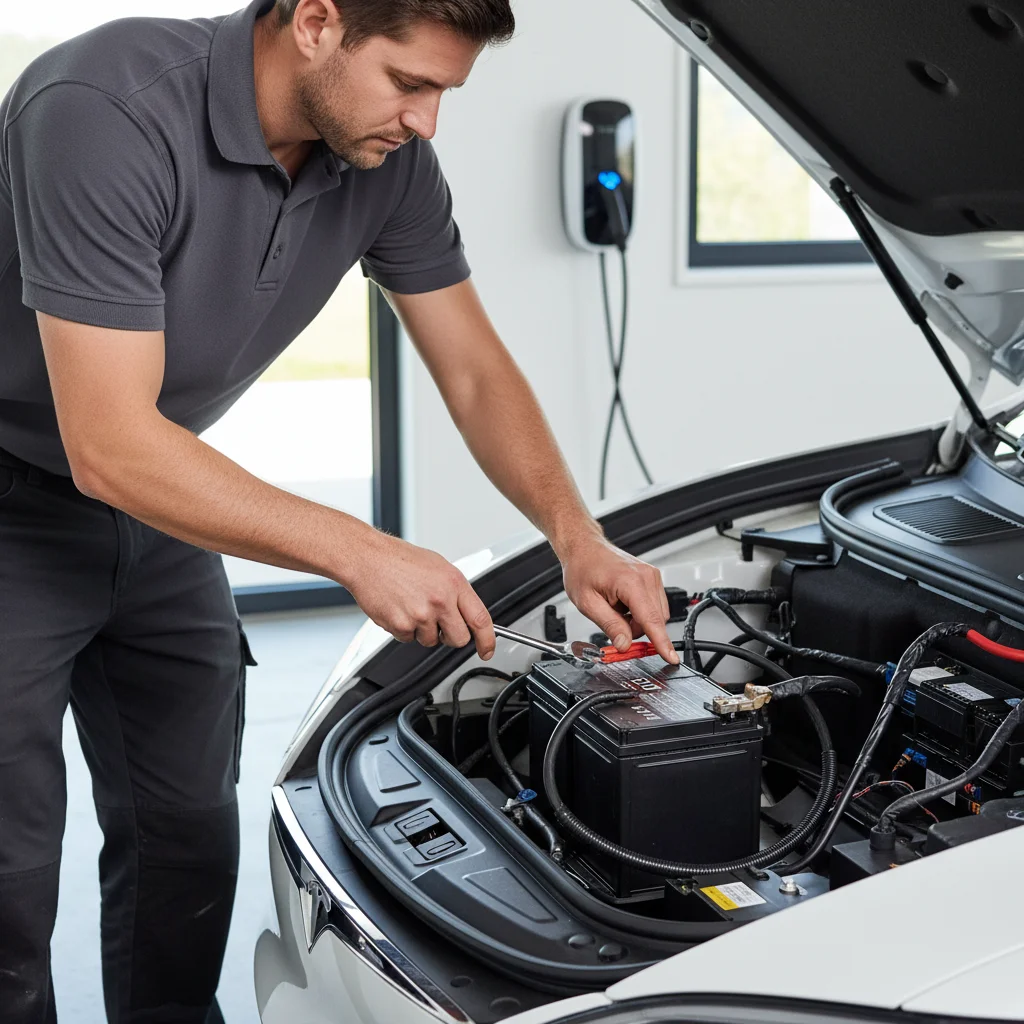
Lead-acid or lithium, and why the window differs
Tesla first used sealed lead-acid 12V batteries. Those look like a small car battery in the frunk, with a vent. From late 2021, most new Teslas shipped a lithium-ion 12V instead. The lithium unit is smaller, closer to a thick book. Chemistry changes how failure feels. It doesn’t erase the 12V job.
Lead-acid units tend to fade. That’s useful. Handles get slow. Alerts appear. You can get days of hints if you’re watching. Inland heat is rough on lead-acid chemistry. Tesla’s public pages we could check don’t publish a year-by-year 12V lifespan. We won’t invent one. Age, heat, and symptoms are enough reason to act.
Lithium 12V units handle the car’s always-awake computers more easily. We couldn’t confirm an official Tesla replacement interval for those units either. When they do fail, the warning window is often shorter than lead-acid. The same alert list still applies. You just have less time to wait.
Open the frunk and look if the car still wakes. Size and a vent port tell you the chemistry. A multimeter can show rest voltage. Tesla’s public owner materials don’t give one cutoff number we can treat as official. If the reading looks low and the symptoms match, treat the 12V as the fault. Don’t wait in a lot for a spec sheet.
What to do while the car still answers
Don’t wait a week. A yellow 12V service alert isn’t a tire-pressure reminder. Get on Tesla’s service queue, or a shop that actually works on Teslas. We couldn’t confirm a current parts figure on Tesla’s public pages. We won’t invent labor either. Ask the writer for today’s quote.
Cut extra drain while you wait. Turn Sentry off if you can live without it for a few nights. Cabin overheat protection keeps the car working in heat. If you park in shade and the weather allows, turning it off reduces wake cycles. Close the app when you’re not using it. An open phone session can keep the car from sleeping. None of that repairs a dying 12V. It only buys a quieter night.
Know the split between an empty pack and a dead 12V. An empty pack still lets many Teslas open doors and show a screen. A dead 12V can look like a brick, even if yesterday’s range was fine. For the already-dark path, use how to tell your Tesla 12V is dead, then jump it. For a broader wake-up list, keep Tesla won’t start: seven checks handy.
If the Tesla is already dark
You’re past symptoms. The frunk won’t open. The screen is black. The app can’t reach the car. The main pack can’t save you until 12V power comes back from outside.
A Tesla 12V jump isn’t the same as jumping a gas car on the battery posts. On Model 3 and Model Y, the jump posts sit under the frunk hood trim. They aren’t on the 12V terminals. On Model S and Model X, the posts are in the frunk. Wrong clamps can damage electronics. If you don’t know the posts, don’t guess. Standard jumper cables can work on the right points. The points are the whole problem.
The operators Charge Pro IE connects you with jump Tesla 12V systems on site. They can replace a dead 12V at the car when that’s the right call. They quote you before they start. They bill you directly. Charge Pro IE doesn’t own the trucks, set the price, or promise a clock. If the 12V is the fault, a Tesla 12V battery jump is the visit you want. That’s not a pack charge. That’s not a tow guess.
A Level 2 roadside charge helps an empty high-voltage pack. It doesn’t wake a car whose contactors never closed. Sort 12V first. Then decide if you still need miles. Operators typically add 10 to 20 miles of range in 15 to 30 minutes of charging. That’s charging time, never an arrival time. It only helps after the 12V is alive again.
When to call the referral line
Call when the clues have stacked, or the car won’t wake at all. That includes a Corona shoulder on the 91. It includes a Fontana or Ontario warehouse stall. It includes a High Desert sit after Cajon. A mountain lot that won’t let the car boot counts too. Independent operators in this network handle Tesla 12V jumps. They also cover empty-pack recoveries and other EV roadside work across the Inland Empire.
Charge Pro IE is a referral line. It matches you with a local mobile rescue operator. It doesn’t perform the work. Call (909) 250-2881 when you need that match. The operator quotes the job before anything starts.